

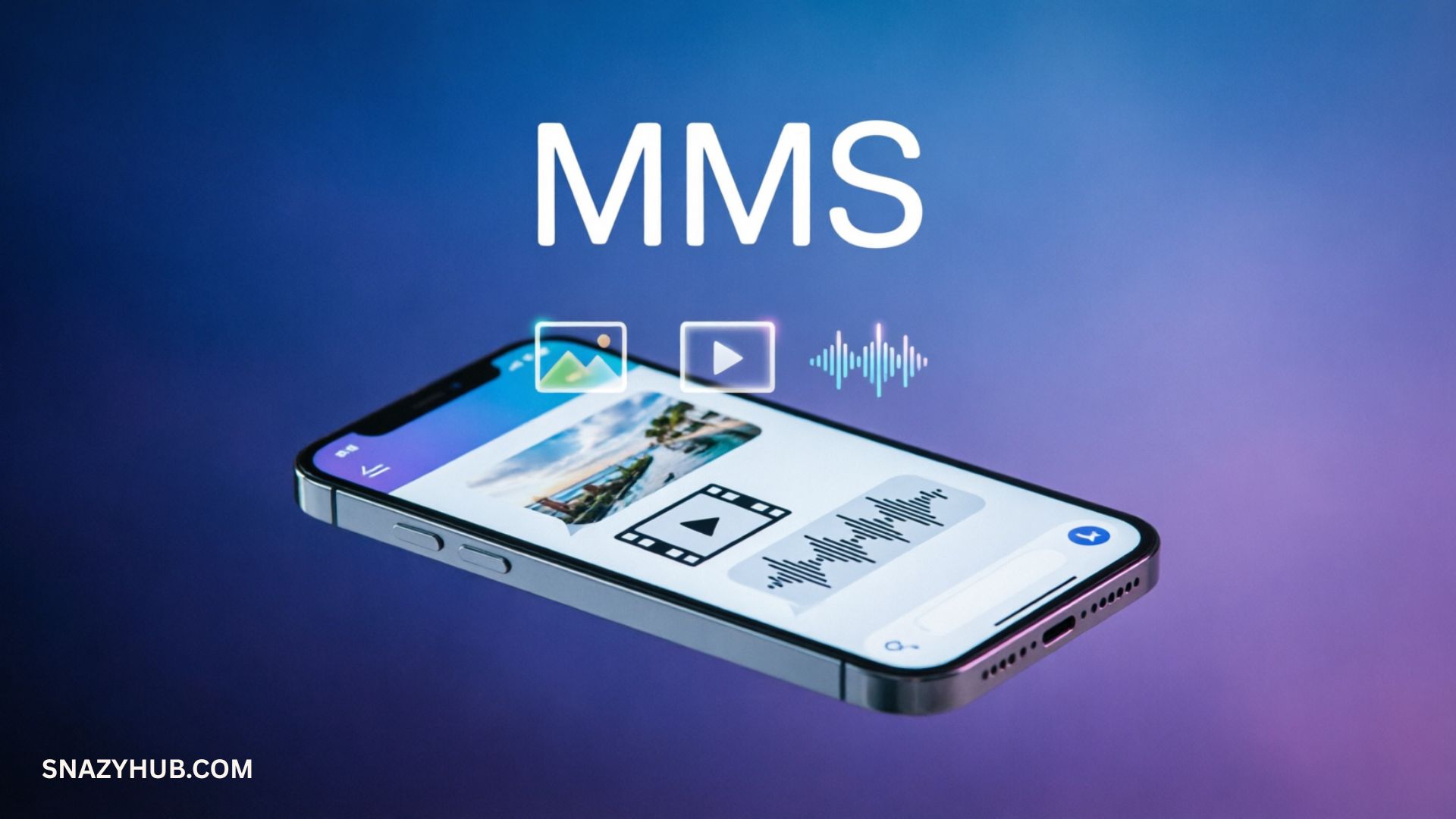
If you’ve ever received a photo, video, GIF, or group message on your phone, you’ve probably used MMS without even thinking about it. Yet many people still ask, “What does MMS mean?” or wonder why their phone says a message was sent as MMS instead of SMS.
The answer is simple: MMS stands for Multimedia Messaging Service, a messaging technology that allows you to send more than plain text. Unlike SMS, which only handles text, MMS supports pictures, videos, audio files, contact cards, and group conversations.
Even in a world dominated by apps like WhatsApp and iMessage, MMS remains an important part of modern mobile communication. It works across nearly all phones and mobile networks without requiring a third-party app.
This guide will explain MMS meaning in chat, how it works, the difference between MMS and SMS, and why this messaging technology still matters today.
Quick Answer: What Does MMS Mean?
MMS meaning: MMS is short for Multimedia Messaging Service.
An MMS text message allows users to send:
- Photos
- Videos
- GIFs
- Audio clips
- Contact information
- Group messages
- Other media attachments
Think of SMS as a plain postcard and MMS as a postcard with photos, videos, and extra content attached.
Simple definition: MMS is a wireless messaging standard that adds multimedia capabilities to traditional text messaging.
TL;DR
| Topic | Quick Answer |
|---|---|
| MMS full form | Multimedia Messaging Service |
| What does MMS mean in text? | Sending media such as photos, videos, and audio |
| MMS vs SMS | MMS supports media, SMS supports text only |
| Uses internet? | Usually uses mobile data |
| Works on Android and iPhone? | Yes |
| Still relevant? | Yes, especially for universal messaging |
What Does MMS Mean in Text?
The MMS abbreviation stands for Multimedia Messaging Service. It is a messaging protocol developed for mobile phones that allows users to exchange rich media content.
Before MMS technology existed, mobile users could only send plain text messages using SMS. That worked well for short conversations, but people wanted more. Once camera phones became popular in the early 2000s, users needed a way to share images and videos.
That’s where MMS entered the picture.
Today, MMS in texting refers to any message that includes media attachments such as:
- Pictures
- Videos
- Voice clips
- GIFs
- Stickers
- Group text messages
This is why your phone sometimes converts a regular text into an MMS automatically.
Example
If you text your friend:
“Look at this sunset!”
and attach a photo, your phone sends it as an MMS text message rather than a standard SMS.
This process is called multimedia text messaging.
MMS Full Form in Chat
Many people search for mms full form in chat because they see the term in messaging apps or phone settings.
The MMS full form is:
MMS = Multimedia Messaging Service
Breaking it down:
| Term | Meaning |
|---|---|
| Multimedia | Photos, videos, audio, GIFs |
| Messaging | Sending information |
| Service | Mobile carrier support |
In simple words, MMS is a telecom messaging service that enables multimedia communication through mobile networks.
What Counts as an MMS Message?
A message becomes MMS when it includes media or certain messaging features.
Examples of MMS Messages
| Message Type | SMS | MMS |
|---|---|---|
| Plain text | ✅ | ✅ |
| Photo | ❌ | ✅ |
| Video | ❌ | ✅ |
| Audio clip | ❌ | ✅ |
| GIF | ❌ | ✅ |
| Group messaging | Sometimes | ✅ |
Examples include:
- Send photos through text
- Send videos in text messages
- Send audio files via MMS
- Share contact cards
- Create a group text with media
This makes MMS an important part of smartphone communication.
How Does MMS Work?
MMS uses a combination of mobile data and carrier systems to transfer media files.
Here’s a simple breakdown:
User Creates Message
          ↓
Adds Photo, Video, or Audio
          ↓
Phone Converts to MMS
          ↓
Carrier Network Processes Message
          ↓
Recipient Downloads Media
Unlike some modern messaging apps, MMS usually relies on your mobile carrier’s network.
This system is part of a larger mobile communication system that connects devices worldwide.
Does MMS Use Wi-Fi or Mobile Data?
Most MMS messages use:
- Mobile data
- Carrier servers
- Network settings
Wi-Fi alone often cannot send MMS unless your carrier supports Wi-Fi messaging.
That explains why many phones display:
“Turn on mobile data to send MMS.”
MMS vs SMS: What’s the Difference?
One of the most common questions is about MMS vs SMS.
Although both are messaging services, they work differently.
Difference Between MMS and SMS
| Feature | SMS | MMS |
|---|---|---|
| Full Name | Short Message Service | Multimedia Messaging Service |
| Text | Yes | Yes |
| Photos | No | Yes |
| Videos | No | Yes |
| Audio | No | Yes |
| Group Messaging | Limited | Better support |
| Data Required | Usually No | Usually Yes |
| File Attachments | No | Yes |
This is the main difference between MMS and SMS.
SMS vs MMS in Everyday Life
SMS is best for:
- Verification codes
- Quick text messages
- Alerts
MMS is best for:
- Photo messaging
- Video messaging
- Group chats
- Media sharing via text
Why Was MMS Created?
To understand the evolution of MMS, you have to go back to the era of early mobile phones.
In the 1990s, phones only supported text. Then camera phones appeared.
People wanted to:
- Share photos
- Send videos
- Exchange audio
- Communicate visually
MMS solved this problem.
Mobile Messaging History
| Year | Development |
|---|---|
| 1992 | First SMS sent |
| Late 1990s | Camera phones emerge |
| Early 2000s | MMS launches |
| 2010s | Messaging apps rise |
| Today | MMS still supports universal messaging |
This changed digital communication forever.
MMS on Android and MMS on iPhone
Both major smartphone platforms support MMS.
MMS on Android
Android users typically use:
- Google Messages
- Samsung Messages
- Carrier apps
Most Android devices enable MMS automatically.
MMS on iPhone
Apple devices use:
- iMessage between Apple users
- MMS for Android communication
If an iPhone user sends a photo to an Android phone, the message often travels through MMS.
This is one reason MMS compatibility remains important.
Why Do Phones Automatically Switch to MMS?
Many people wonder:
“Why did my text become MMS?”
Common reasons include:
- Sending a photo
- Sending a video
- Using GIFs
- Group messaging
- Adding media attachments
Your default messaging app detects these features and converts the message automatically.
This process allows messaging without third-party apps.
MMS vs Modern Messaging Apps
Today’s users have many options.
WhatsApp vs MMS
| Feature | MMS | |
|---|---|---|
| Internet Required | Yes | Mobile data |
| App Needed | Yes | No |
| Encryption | Yes | Limited |
| Universal Compatibility | Limited | High |
Other competitors include:
- Telegram
- Signal
- Messenger
- iMessage
- RCS
However, MMS remains valuable because almost every phone supports it.
That makes MMS a form of universal messaging.
Quote: Why MMS Still Matters
“Technology changes quickly, but universal standards survive because they work across nearly every device.”
This explains why MMS communication continues to play a role in modern mobile phone communication.
Key Facts About MMS
- MMS stands for Multimedia Messaging Service
- Introduced in the early 2000s
- Supports photos, videos, and audio
- Works on Android and iPhone
- Uses mobile carrier messaging
- Enables group conversations
- Does not require separate apps
Is MMS Still Used Today?
Although apps like WhatsApp, Signal, and Telegram dominate everyday conversations, MMS technology hasn’t disappeared. In fact, millions of people still send and receive MMS every day. Many don’t even realize they’re using it because their phone handles everything automatically.
MMS remains relevant because it works across different devices and mobile networks. If someone has a smartphone but doesn’t use the same messaging app as you, MMS often becomes the common ground.
Here are a few situations where MMS still shines:
- Sharing photos with someone who doesn’t use internet-based messaging apps.
- Sending media between Android and iPhone users.
- Receiving promotional messages from businesses.
- Sending group messages that include images or videos.
- Exchanging media without installing another app.
Unlike many internet-based services, MMS relies on a mobile network service supported by your carrier. That makes it one of the most widely available forms of phone messaging.
MMS vs iMessage, RCS, and Other Modern Messaging Apps
Messaging has evolved rapidly over the last decade. While Multimedia Messaging Service remains available on nearly every phone, newer platforms offer additional features such as end-to-end encryption, higher-quality media sharing, and read receipts.
Understanding these differences helps explain where MMS fits into today’s messaging landscape.
MMS vs iMessage
Apple’s iMessage works only between Apple devices.
When both people use an iPhone, messages travel through Apple’s servers over the internet. However, if an iPhone user sends a picture to an Android device, iMessage automatically falls back to MMS.
| Feature | iMessage | MMS |
|---|---|---|
| Apple devices only | Yes | No |
| Photos and videos | Yes | Yes |
| End-to-end encryption | Yes | No |
| Internet required | Yes | Usually mobile data |
| Universal compatibility | No | Yes |
This fallback behavior is why many iPhone users still encounter MMS without realizing it.
MMS vs RCS
RCS, or Rich Communication Services, is considered the next step in mobile messaging.
Compared with MMS, RCS offers:
- Higher-quality images
- Better video sharing
- Typing indicators
- Read receipts
- Improved group chats
- Larger file transfers
However, RCS isn’t available on every carrier or device worldwide. Until adoption becomes universal, MMS continues serving as a reliable backup.
WhatsApp vs MMS
The discussion around WhatsApp vs MMS usually comes down to convenience versus compatibility.
| Feature | MMS | |
|---|---|---|
| Requires app installation | Yes | No |
| Internet connection | Yes | Usually mobile data |
| Encryption | End-to-end | Limited |
| High-quality media | Yes | Often compressed |
| Works across nearly all phones | Depends on app | Yes |
WhatsApp delivers more advanced messaging features, but MMS wins when you need universal messaging without requiring another application.
Advantages of MMS
Despite newer technologies, MMS still offers several practical benefits.
Works on Nearly Every Phone
One of the biggest strengths of MMS is compatibility.
Whether someone uses:
- Android
- iPhone
- An older feature phone that supports MMS
they can usually receive media messages without installing anything.
No Third-Party App Required
Unlike internet messaging platforms, MMS works directly inside your phone’s default SMS app or default messaging app.
That means users can enjoy messaging without third-party apps, making communication simple for less technical users.
Supports Rich Media
Instead of plain text, MMS supports:
- Photo messaging
- Video messaging
- Audio recordings
- Contact cards
- GIFs
- Stickers
This richer experience improves visual communication and makes conversations more engaging.
Useful for Businesses
Companies continue using MMS because visual content attracts more attention than plain text.
For example, a restaurant can send:
- A coupon
- A menu image
- A limited-time offer
instead of sending only text.
Limitations of MMS
Although MMS remains useful, it has several drawbacks compared to newer messaging services.
File Size Limits
Most carriers restrict attachment sizes.
As a result:
- Videos may become blurry.
- Photos are compressed.
- Audio quality can decrease.
This limitation affects multimedia file transfer on traditional mobile networks.
Media Compression
When you send photos through text, your carrier often reduces image quality to speed up delivery.
The same happens when you send videos in text messages.
That’s why videos shared through MMS usually look less sharp than those shared through cloud-based apps.
Carrier Charges
Depending on your mobile plan, MMS may:
- Count toward your messaging allowance.
- Use mobile data.
- Incur extra charges while roaming internationally.
Most unlimited plans include MMS today, but it’s always worth checking your carrier’s policy.
Limited Security
One major difference between MMS and encrypted messaging platforms involves privacy.
An encrypted messaging comparison shows that apps such as Signal and WhatsApp encrypt messages from sender to recipient.
Traditional MMS generally does not offer end-to-end encryption.
For highly sensitive conversations, encrypted messaging apps provide stronger protection.
Why Your Phone Sends MMS Instead of SMS
Many users become confused when their phone suddenly switches from SMS to MMS.
This usually happens automatically.
Common reasons include:
You Attached a Photo
As soon as you add an image, your phone converts the message into MMS.
You’re Sending a Video
Videos require much more data than text, so they’re delivered through MMS.
You Included Audio
If you send audio files via MMS, the phone switches messaging formats automatically.
You’re Using Group Messaging
Many devices send group conversations as MMS so everyone can receive replies in one thread.
This improves group messaging and keeps conversations organized.
Your Message Is Too Large
Some carriers convert very long messages into MMS automatically.
Although this doesn’t happen everywhere, it remains common on certain networks.
Why MMS May Not Be Working
If your pictures or videos refuse to send, one of several common issues may be responsible.
Mobile Data Is Turned Off
Unlike SMS, MMS usually requires mobile data.
Turning data back on often solves the problem immediately.
Incorrect APN Settings
APN settings tell your phone how to connect with your carrier’s messaging servers.
Incorrect settings can prevent MMS from working altogether.
Weak Cellular Signal
Poor reception affects carrier network messaging, especially when sending larger media files.
Software Issues
An outdated operating system or messaging application may interfere with smartphone messaging.
Keeping your phone updated often fixes compatibility problems.
Quick Troubleshooting Checklist
Before contacting your carrier, try these steps:
- Restart your phone.
- Turn mobile data on.
- Check your signal strength.
- Update your operating system.
- Verify MMS settings.
- Reset network settings if necessary.
- Contact your mobile carrier if problems continue.
These simple fixes resolve many common MMS issues.
MMS in Business Communication
Businesses continue investing in MMS because visual messages often receive more attention than plain text.
This strategy has become a valuable part of business MMS marketing.
Promotional MMS Messages
Retailers frequently send:
- Product photos
- Coupons
- Flash sale announcements
- Seasonal promotions
Visual content often encourages higher engagement than text-only campaigns.
Customer Engagement Messages
Companies also use MMS for:
- Appointment reminders
- Shipping updates
- Boarding passes
- Event tickets
- Loyalty rewards
These customer engagement messages create a richer customer experience while keeping communication simple.
Real-World Example
Imagine a car dealership launching a weekend sale.
Instead of sending:
“Visit us this weekend.”
they send:
- A picture of the featured vehicle.
- Financing details.
- A QR code.
- A map.
- A limited-time coupon.
This combination makes the message far more compelling because people immediately see the offer rather than imagining it.
Privacy of MMS Messages
Many people assume every message they send is private. That’s not always true. Understanding the privacy of MMS messages helps you decide when MMS is appropriate and when another messaging service may be a better choice.
Unlike modern encrypted platforms, MMS travels through your mobile carrier messaging system. Your carrier processes the message before delivering it to the recipient.
This doesn’t mean MMS is unsafe for everyday conversations. However, it does mean it isn’t designed for highly confidential information.
If you’re sending sensitive documents, financial details, passwords, or personal identification, an encrypted messaging app is usually the safer option.
Tips to Protect Your Privacy
- Avoid sending passwords through MMS.
- Don’t share banking or financial information.
- Be cautious when sending personal documents.
- Download software updates regularly.
- Verify the recipient before sending media.
Using these simple habits can significantly improve your messaging security.
MMS Security
When discussing MMS security, it’s important to understand both its strengths and limitations.
MMS is a standardized messaging service used by mobile carriers worldwide. While carriers employ security measures to protect their networks, traditional MMS does not provide end-to-end encryption like many internet-based messaging platforms.
Encrypted Messaging Comparison
| Feature | MMS | Signal | iMessage* | |
|---|---|---|---|---|
| End-to-end encryption | No | Yes | Yes | Yes (between Apple devices) |
| Works without installing another app | Yes | No | No | No |
| Universal compatibility | Yes | No | No | No |
| Supports multimedia | Yes | Yes | Yes | Yes |
*End-to-end encryption applies only when both users are communicating through iMessage.
For everyday text communication, MMS is generally sufficient. If privacy is your highest priority, encrypted services offer stronger protection.
Common MMS Terms You Should Know
If you’re new to mobile messaging, these terms will help you understand how everything fits together.
| Term | Meaning |
|---|---|
| MMS | Multimedia Messaging Service |
| SMS | Short Message Service |
| RCS | Rich Communication Services, a newer messaging standard |
| APN | Access Point Name used for mobile data and MMS settings |
| Mobile Carrier | The company that provides your cellular service |
| Media Attachments | Photos, videos, audio files, GIFs, and other multimedia content |
| Default SMS App | Your phone’s built-in messaging application |
| Rich Media Messaging | Messages containing multimedia instead of plain text |
Learning this messaging terminology makes it much easier to troubleshoot issues and understand your phone’s settings.
MMS in Everyday Communication
MMS has become part of everyday smartphone communication across the United States and many other countries.
You may use MMS without realizing it when you:
- Share vacation photos.
- Send birthday pictures to family.
- Text a short video to a friend.
- Participate in a family group chat.
- Receive appointment reminders with maps.
- Get coupons from your favorite store.
These everyday examples show how multimedia communication has become a normal part of mobile phone communication.
Even though many users rely on apps like WhatsApp, Messenger, or Telegram, MMS remains one of the few technologies that works across nearly every smartphone without requiring everyone to install the same app.
Messaging Culture in the USA
The messaging culture in the USA has changed dramatically over the past two decades.
In the early days of mobile phones, people relied almost entirely on SMS because devices couldn’t handle images or videos. As camera phones became more common, MMS introduced a new way to communicate visually.
Today, Americans use a mix of communication methods depending on the situation:
- SMS for verification codes and quick updates.
- MMS for sharing media with anyone on a mobile network.
- iMessage for Apple-to-Apple conversations.
- RCS on supported Android devices.
- Internet-based apps for encrypted chats and international messaging.
Because not everyone uses the same platform, MMS continues to serve as a reliable bridge between different devices and operating systems.
Case Study: How a Local Business Uses MMS
A neighborhood bakery wanted to increase weekend sales. Instead of sending a plain text promotion, the owner launched a simple MMS campaign.
The message included:
- A high-quality photo of fresh pastries.
- A limited-time discount code.
- Store hours.
- A map showing the bakery’s location.
Within a few hours, customers began redeeming the offer. Many mentioned that the photo caught their attention and encouraged them to visit.
This example highlights why business MMS marketing remains effective. Visual content often creates stronger engagement than text alone, especially for restaurants, retailers, salons, and local service providers.
Frequently Asked Questions
What does MMS mean in text messages?
MMS means Multimedia Messaging Service. It allows users to send photos, videos, audio clips, GIFs, and other multimedia content through their mobile carrier.
What is the MMS full form?
The MMS full form is Multimedia Messaging Service.
What does MMS mean in chat?
The MMS meaning in chat is the same as in texting. It refers to multimedia messages that contain more than plain text, such as images, videos, or audio files.
What is the MMS full form in chat?
The mms full form in chat is Multimedia Messaging Service. Whether you see it in your phone settings or a conversation, the meaning remains the same.
Is MMS the same as SMS?
No.
SMS sends plain text only, while MMS supports multimedia such as photos, videos, GIFs, and audio.
Does MMS require mobile data?
In most cases, yes. MMS typically uses your mobile carrier’s data connection to send and receive multimedia content.
Can MMS work over Wi-Fi?
Some carriers support Wi-Fi Calling and Wi-Fi messaging features that allow MMS over Wi-Fi, but this isn’t universal. Mobile data is still the most common method.
Why are my pictures sending as MMS?
Photos, videos, GIFs, and other media automatically convert your message into MMS because SMS cannot carry multimedia attachments.
Can MMS send videos?
Yes. MMS supports video sharing, although carriers often compress videos to reduce file sizes.
Is MMS available on Android and iPhone?
Yes. Both MMS on Android and MMS on iPhone are supported by default. Messages between Android and iPhone devices frequently use MMS when multimedia is involved.
Does MMS cost extra?
That depends on your mobile plan. Most modern unlimited plans include MMS, but some prepaid or international plans may charge additional fees or count MMS toward your messaging allowance.
Is MMS becoming obsolete?
While newer technologies like RCS and encrypted messaging apps offer more advanced features, MMS remains widely supported because of its universal compatibility. It’s still an essential fallback for sharing media across different devices and carriers.
Final Thoughts
Understanding MMS meaning is easier once you know how mobile messaging works. MMS stands for Multimedia Messaging Service, a long-established standard that makes it possible to send photos, videos, audio clips, GIFs, and other media through your carrier’s messaging network.
Although messaging technology continues to evolve, MMS remains an important part of digital communication. Its greatest strength is compatibility. Whether you’re using Android or iPhone, communicating with friends, sharing family photos, or receiving promotional offers from businesses, MMS provides a simple way to exchange multimedia without installing additional apps.
